Scattered consultation notes, a separate learning app and a billing spreadsheet — EDUTRIO brings them together. Directors see the numbers, teachers focus on class, parents see their child grow.
One tool for learning, another for administration, a third for messaging. The front desk spends its day copying and pasting between them.
Student details get typed in several places, and nobody is sure which copy is current.
Consultation notes live in a notebook and level test results on paper, so the follow-up call never happens.
Pro-rated fees, sibling discounts and statutory refund rules eat a whole day in a spreadsheet.
The three dots in our logo are the three axes an academy runs on. EDUTRIO was designed around all three from the start.
So no inquiry is lost on the way to enrollment
Class operations and English learning in one place
Exact numbers, lighter admin
We ship changes every week from requests by teachers who use EDUTRIO every day. Here is what was added recently.
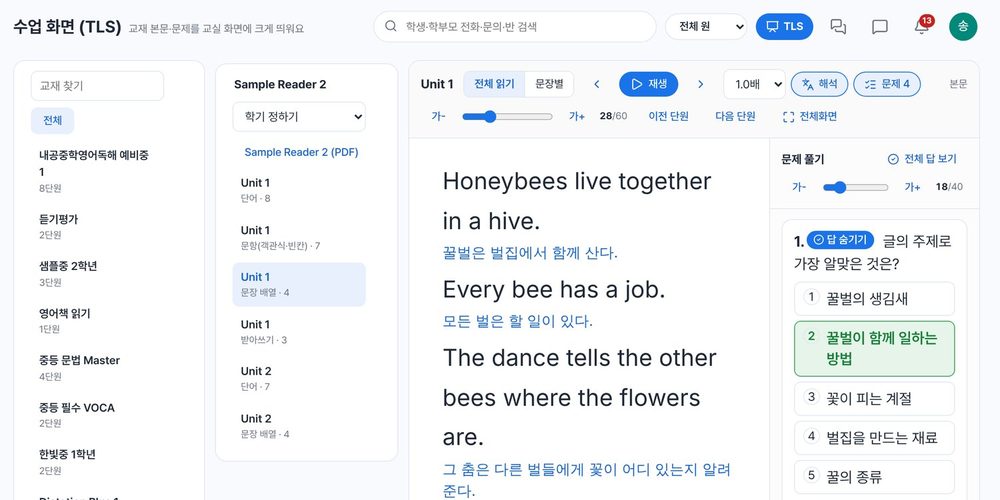
Put the textbook passage on the classroom screen and read it sentence by sentence in a native AI voice. Translations, adjustable text size, and ebook-style answer checks per question.
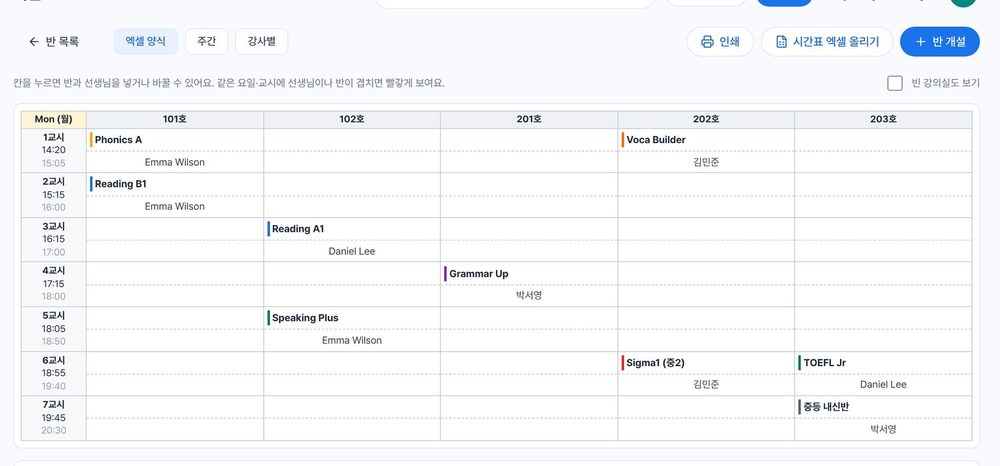
Day × period × room, just like the spreadsheet you already use. Click a cell to edit; teacher or class clashes turn red. Teaching hours are counted per teacher.
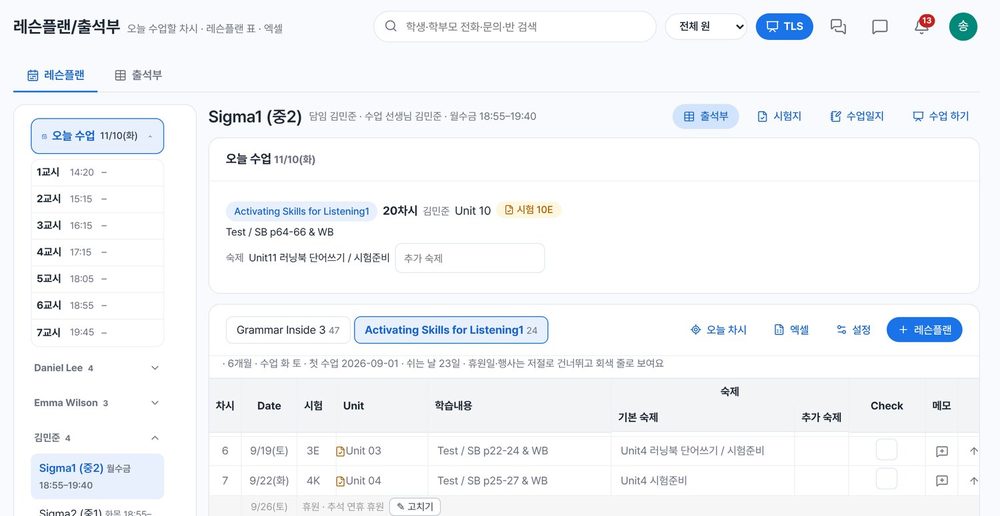
Open “Today’s classes” from your own lesson-plan workbook, and print the unit’s word test in your academy’s layout (4-up, 2-up or reading) with one button.
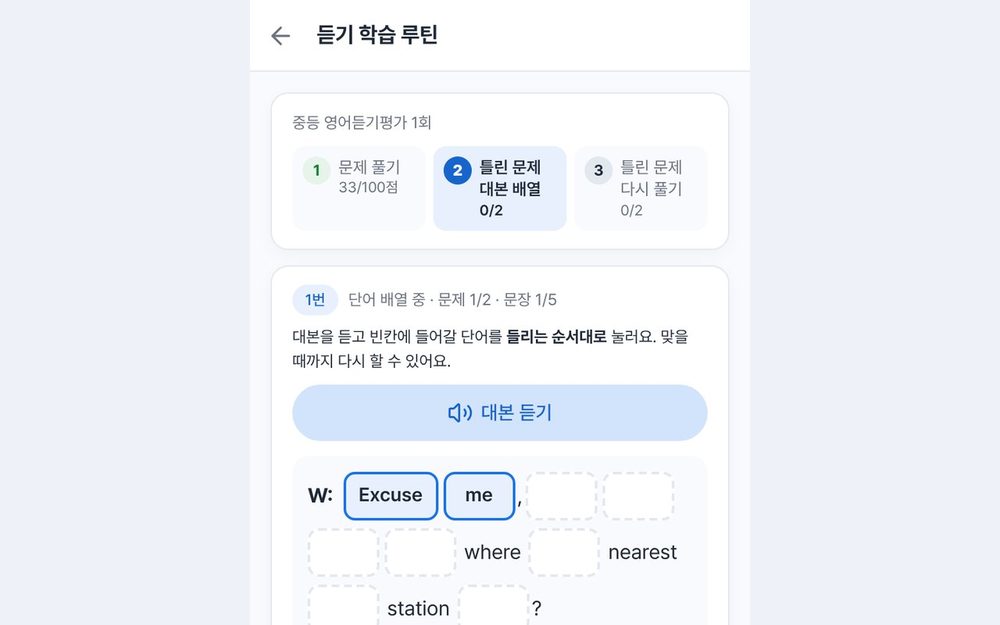
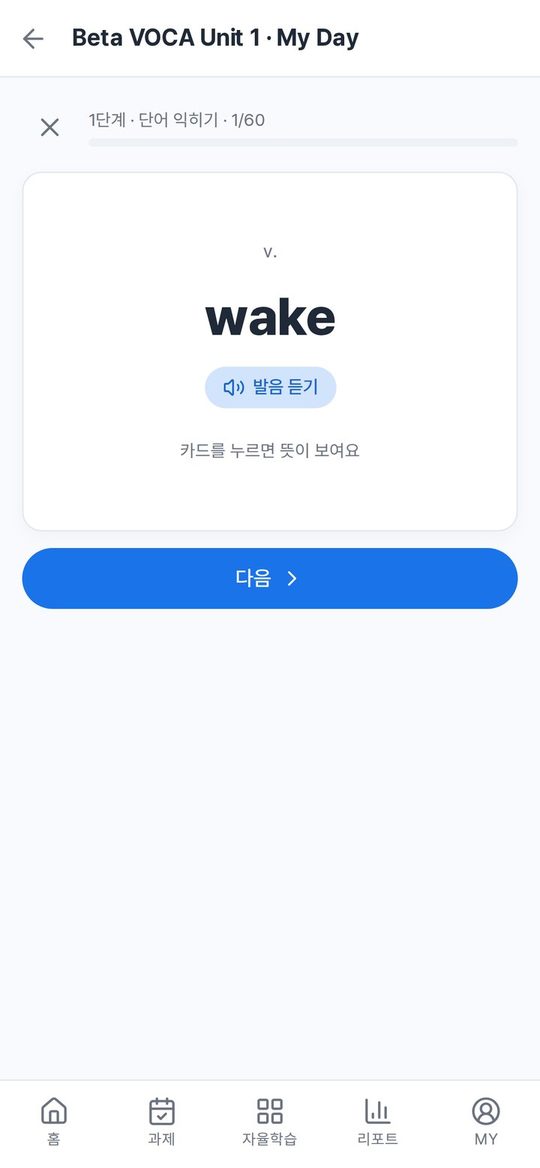
Students replay the script of each missed listening question, put the words (easy/medium/hard) or sentences in order, then retry until they get it right.
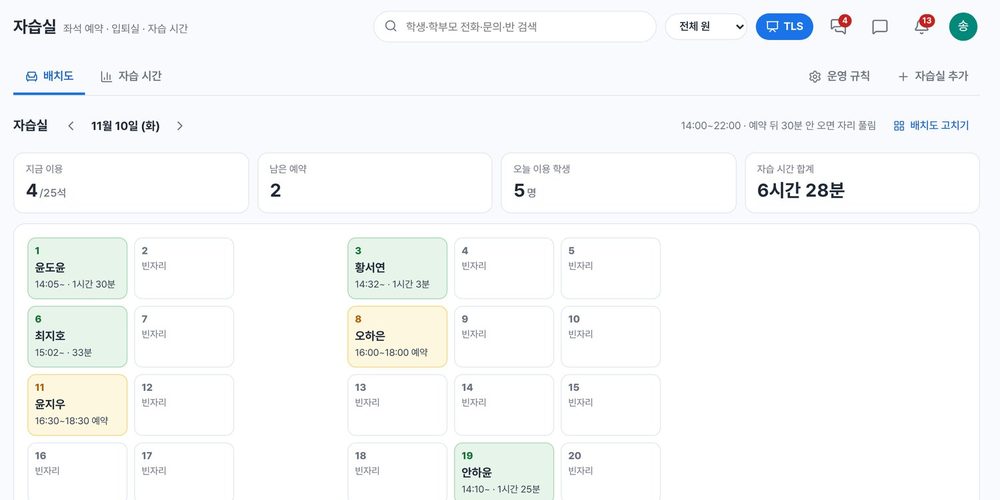
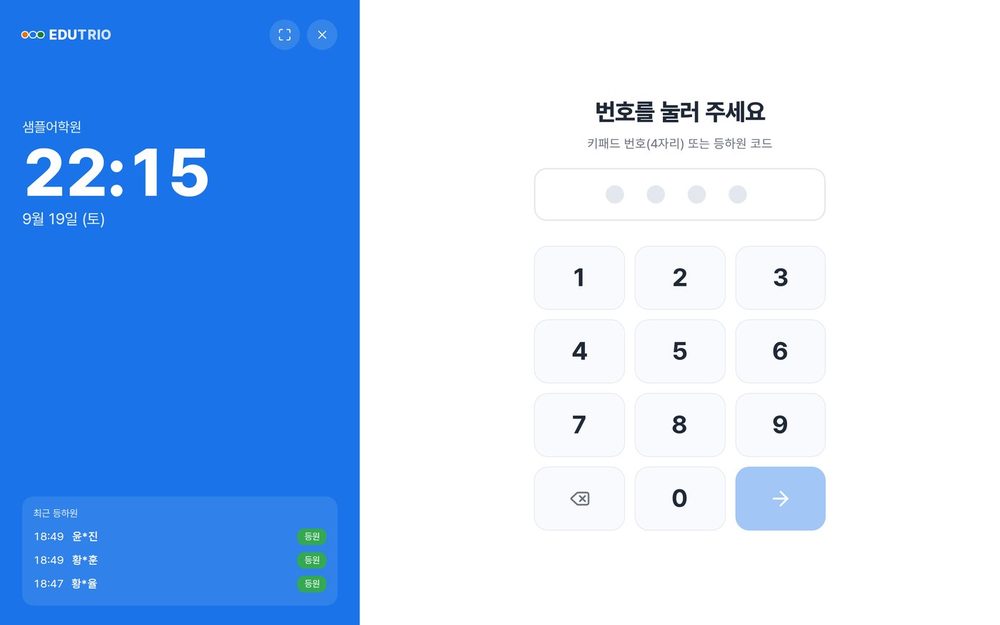
Book a free seat in the app, check in at the kiosk, notify parents on entry and exit, and track study time per student.
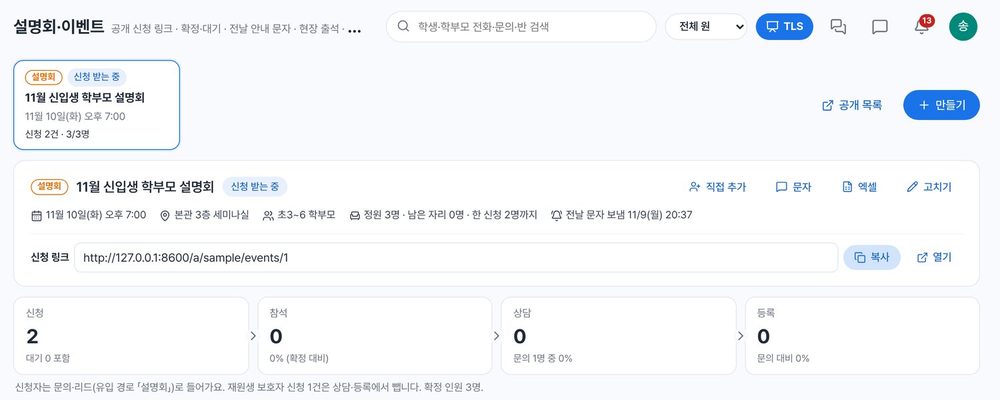
A public sign-up page, waitlist when full, reminder texts the day before and on-site check-in — sign-ups flow on to consultation and enrollment.
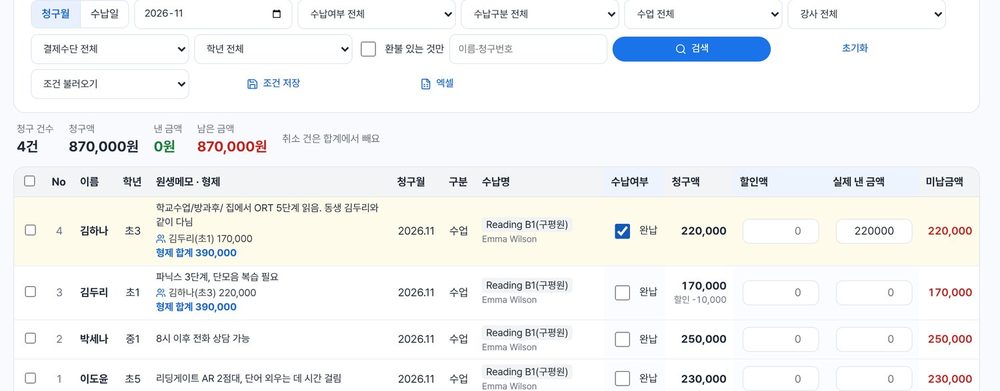
Filter, enter each row and save at once, with sibling totals shown inline. Run several campuses in one system and view them separately.
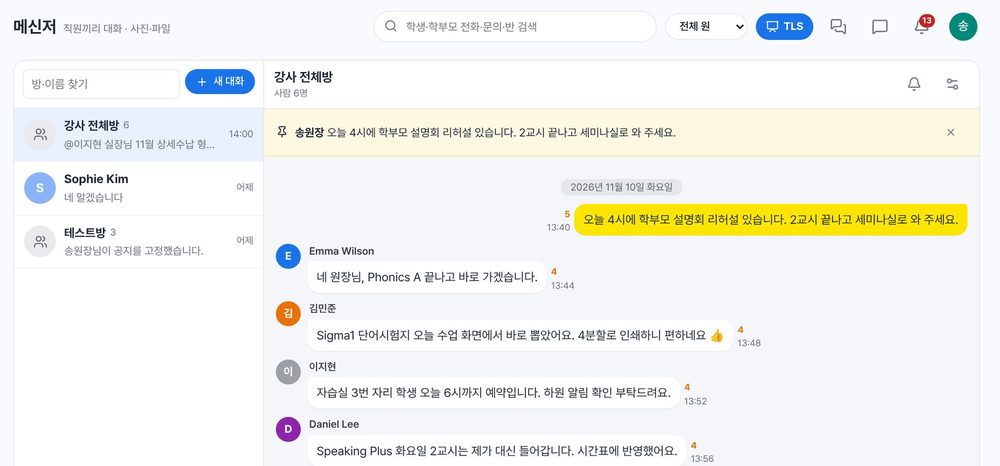
1:1 and group chats with photos and files, pinned notices and read counts, plus daily reports and work manuals kept inside the academy.
Also — English book reading (pronunciation scoring) · regular consultation plans · quarterly reviews · statutory registers · English staff screens · hide and reorder menus
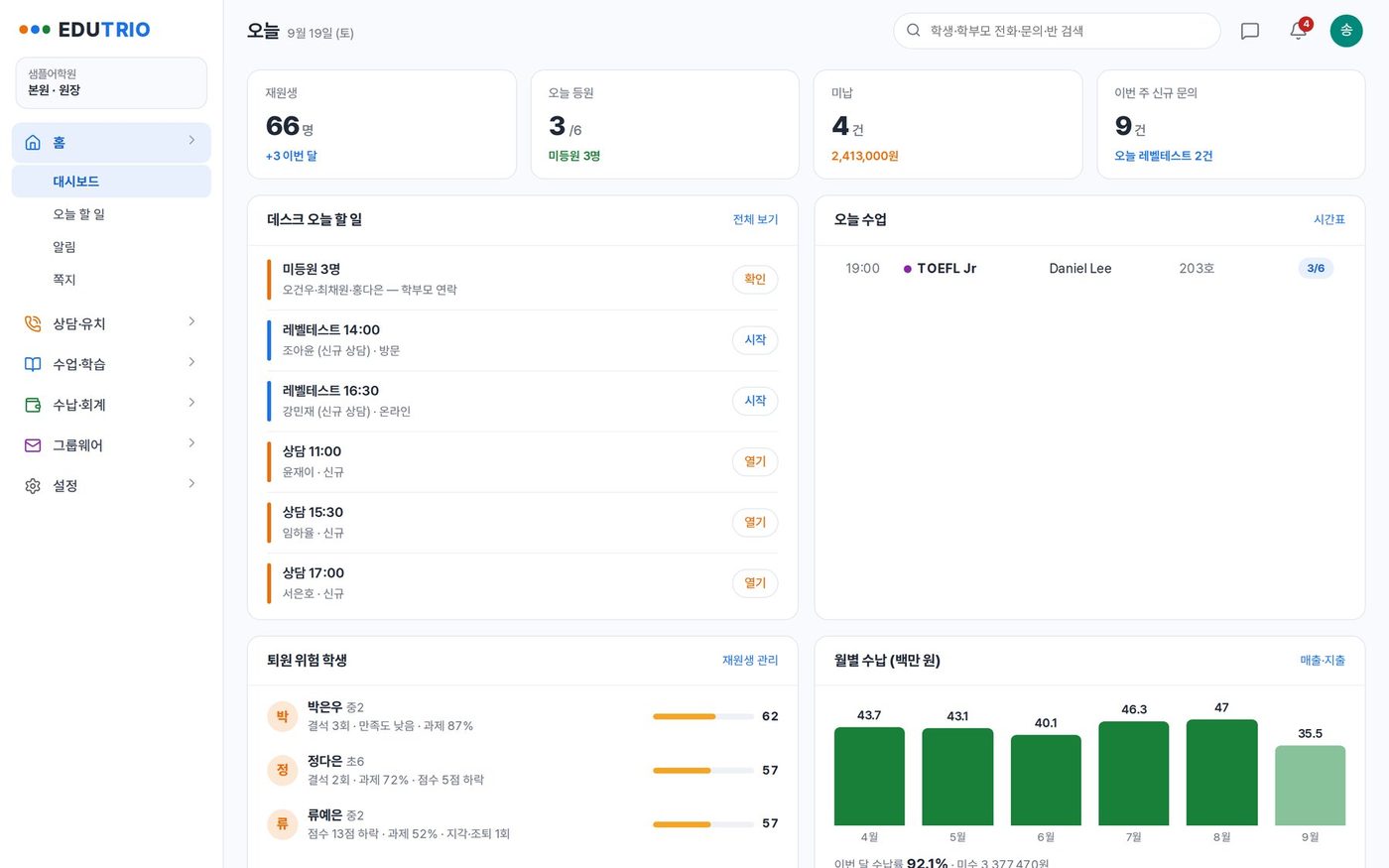
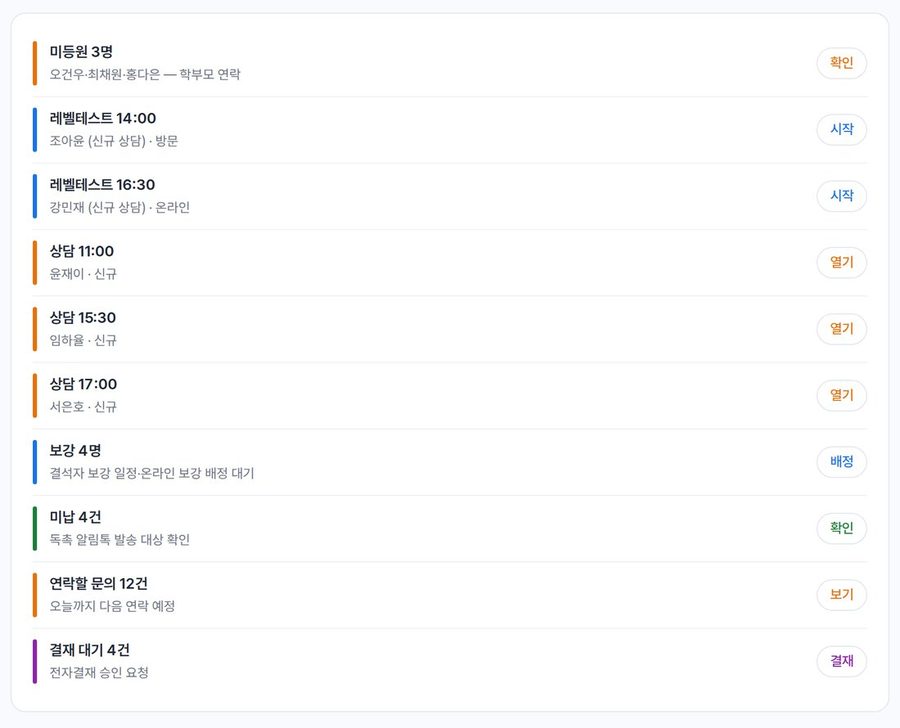
Absentees, today’s consultations and level tests, unpaid invoices, make-up classes and the messages waiting to go out — EDUTRIO gathers the front desk’s day for you.
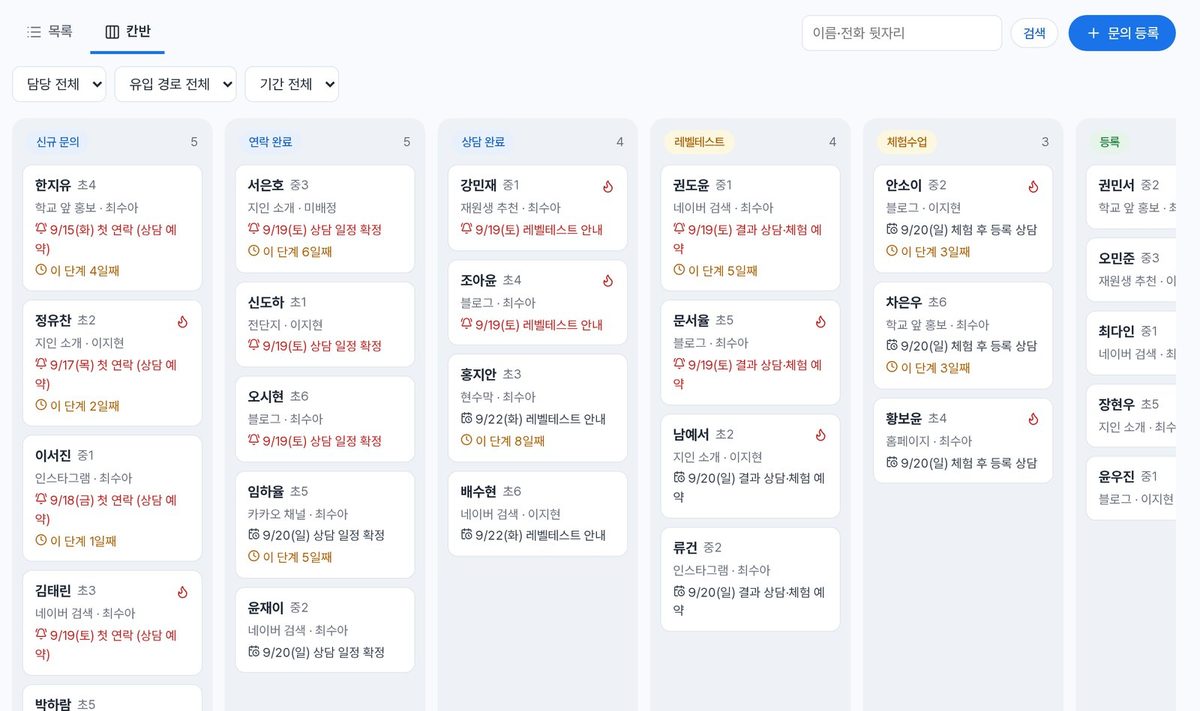
Website inquiries land as leads, and level test results feed both a class placement suggestion and the report you send parents. You just move the card along the kanban.
Vocabulary, grammar, sentence ordering, listening, dictation and speaking. Authoring tools, bulk import from spreadsheets and audio files, and AI item generation let you build a study set per textbook unit quickly.
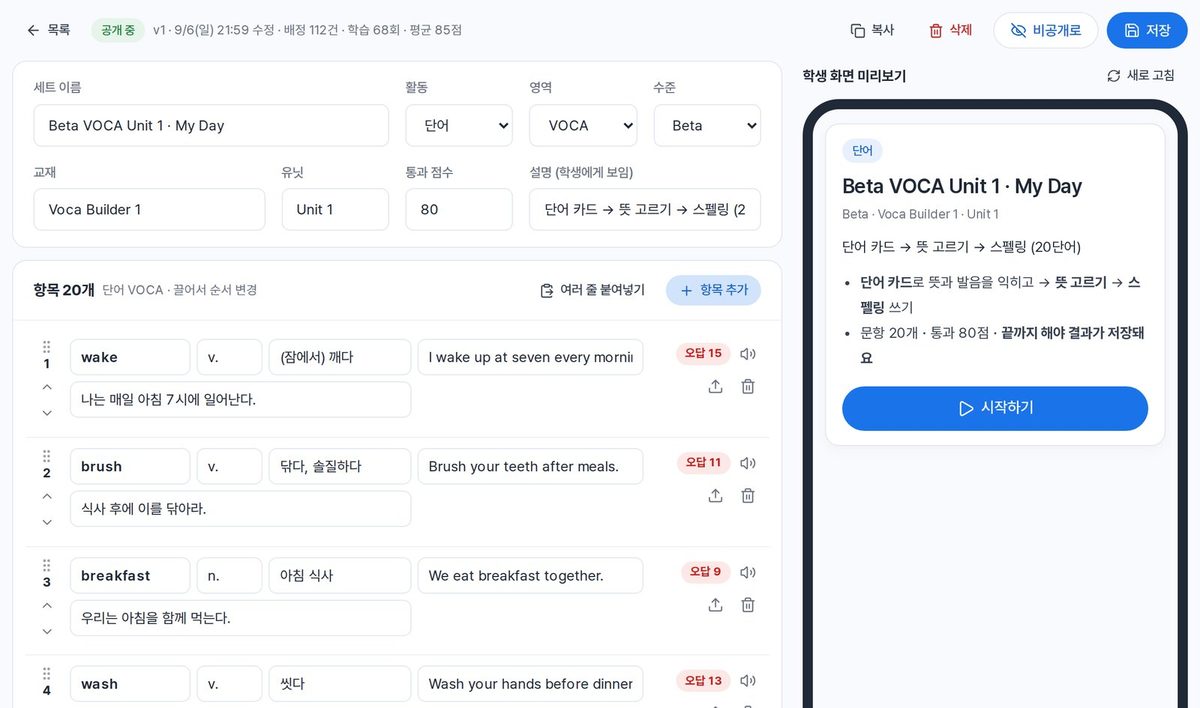
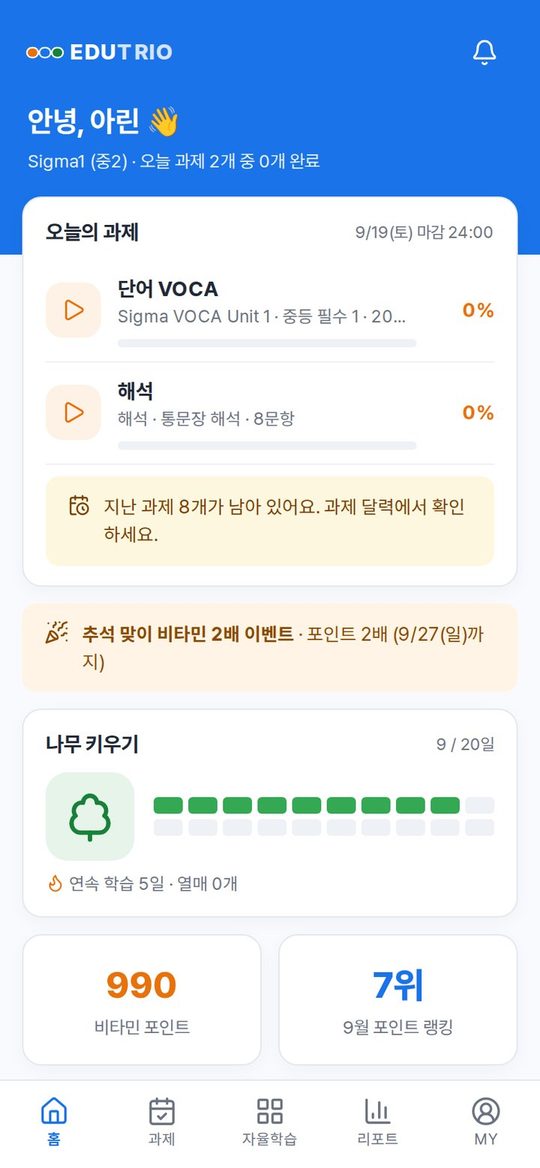
The week’s missions are laid out day by day, and anything overdue can be picked up right away. Finish on time and the tree grows; star points and rankings get children opening the app themselves.


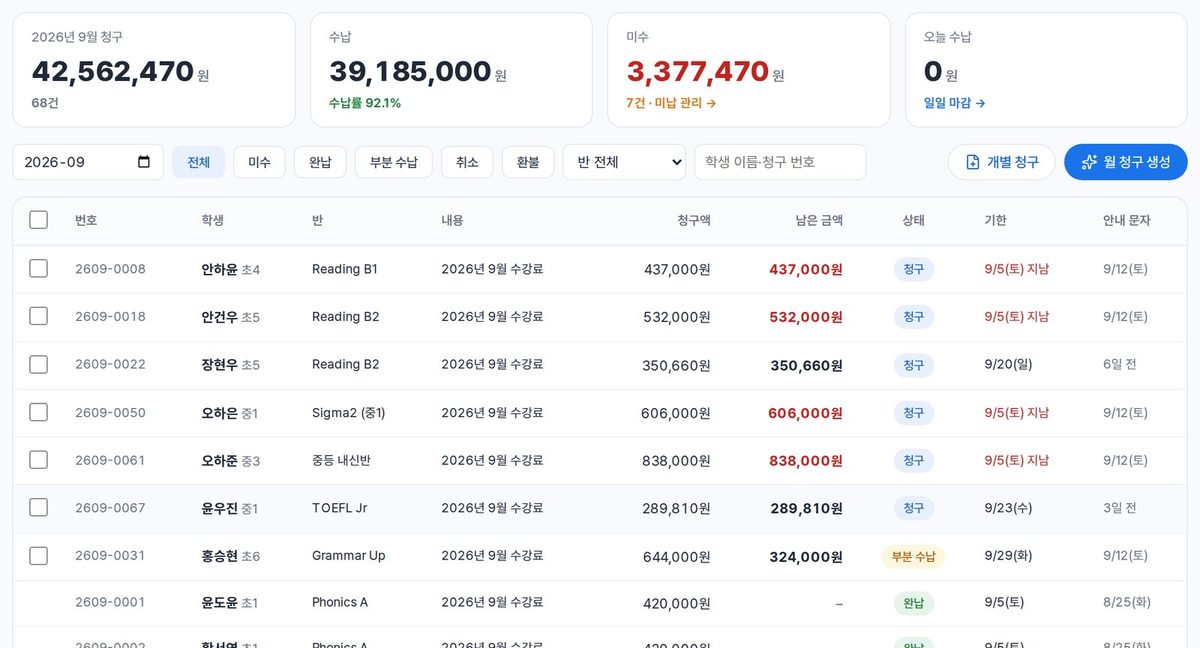
Monthly invoices are generated for you and the payment link goes out by message. Arrears are chased automatically on D+3 and D+7; refunds are calculated from elapsed tuition period and routed through approval.
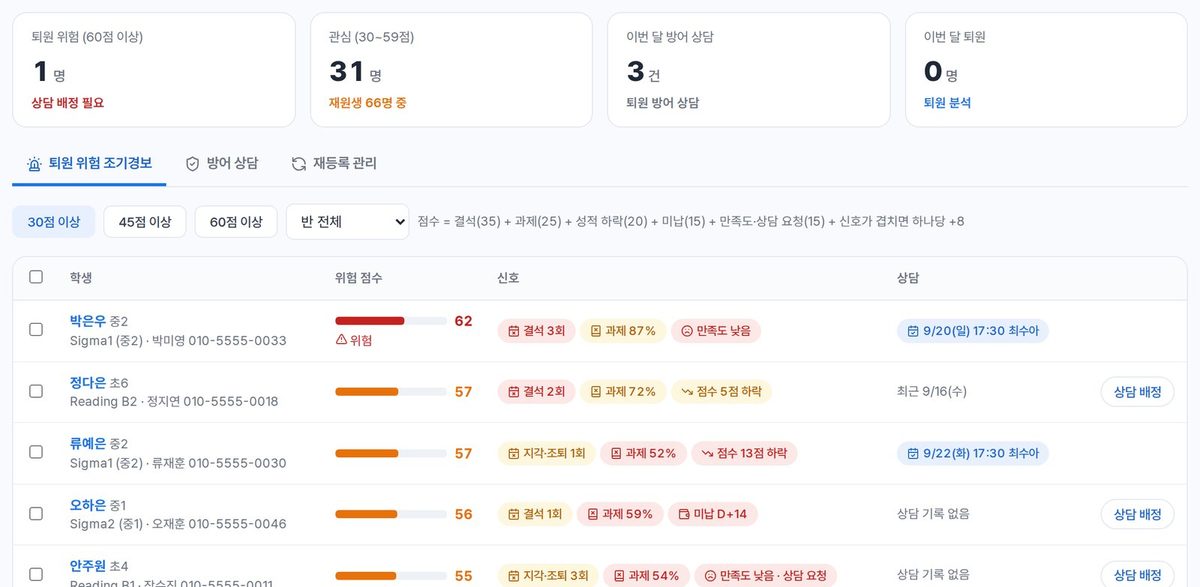
Absences, missed homework, falling scores, arrears and survey answers roll into one score, so you find at-risk students early and assign a consultation.
Students check in with a number or QR code and their parent’s phone gets an alert. What was covered today and how the learning went go out as daily and monthly reports.
Consultation summaries, report comments, lesson logs, messages to parents. AI drafts the writing your staff does every day; the teacher reviews it and presses send.
Turns consultation notes into the student’s level, what the parent wants, enrollment likelihood and a suggested class, then drafts the follow-up message and next contact date.
Drafts a warm comment for parents, grounded in attendance, missions and score trends.
A few keywords and it fills in what was covered, homework, anything notable, and the note to parents.
Give it the purpose and the key points; it returns a full polite version and a short one.
Ask “this month’s arrears total and who owes it” and get enrollment, inquiry, arrears, revenue and attendance figures back as a table.
Reads the risk signals, suggests five consultation questions, recommended actions and wording for the call home.
Record and it marks pronunciation word by word with a practice score; written work comes back with corrections and the reason for each.
Builds meaning, example and quiz sets from words or sentences, and fills in meanings for content pulled from a textbook PDF.

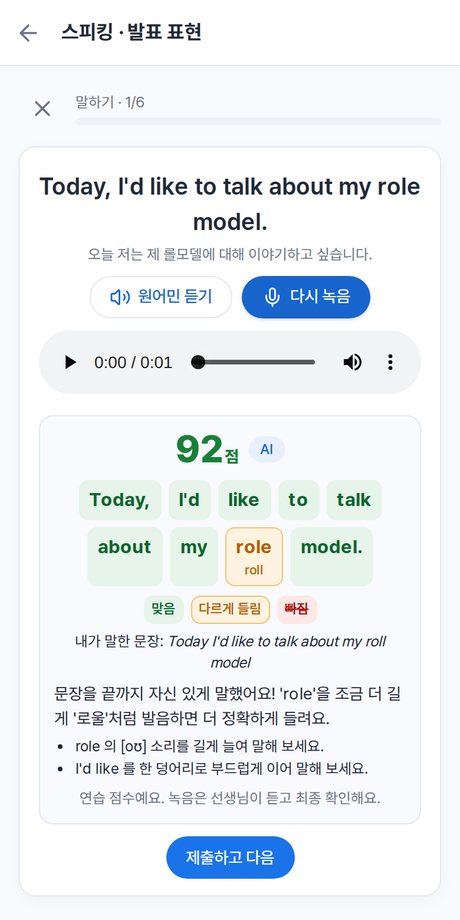
Sending a message, confirming a score and saving are always a person pressing a button. You connect your own AI key (Claude or GPT), set a monthly cap, and choose which features may use it.
Students get their homework and study; parents get attendance, reports and billing, all in one app.
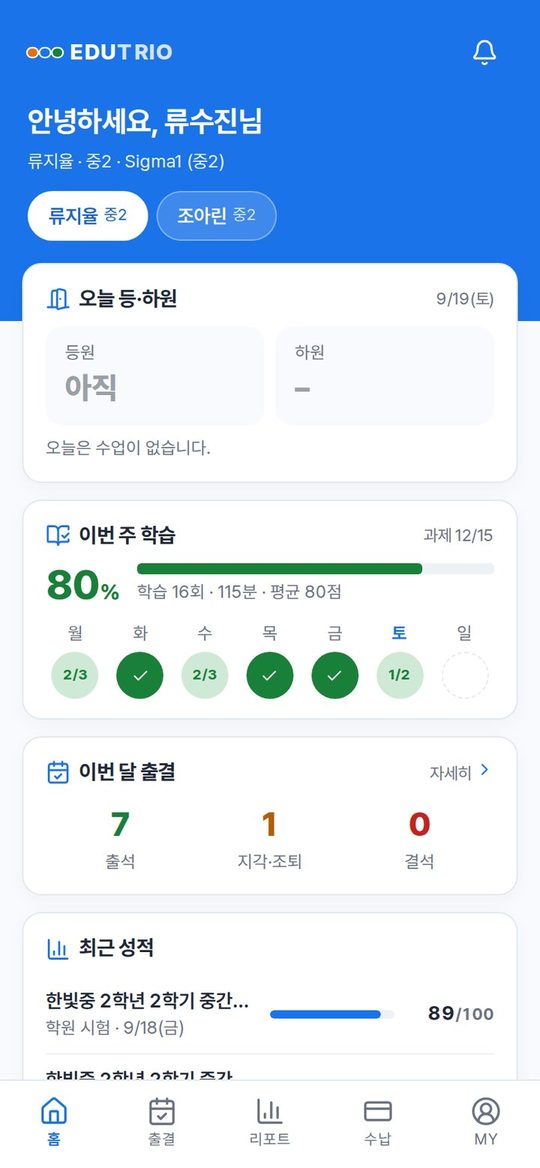

Menus and data follow permissions. Teachers see their own classes; billing is visible only to those authorized.
We migrate students, classes and outstanding balances from your current tools, and prepare staff training and a manual for each role.
Yes. We take students, guardians, classes, teachers and outstanding balances as a spreadsheet (CSV), validate them and migrate. A pre-launch checklist confirms nothing was left behind.
Yes. Upload your timetable and lesson-plan spreadsheets as they are; classes, days, periods, rooms and lessons are read in and shown in the same layout. Registers and word tests follow your academy’s format too.
No. Desktops and tablets use a browser; students and parents add it to their phone’s home screen and use it like an app.
Connect the SMS or AlimTalk provider and the payment gateway your academy already contracts with, and real messages and payments go through. Before that, you can still review the message log and the payment flow.
Enrollment, classes, attendance, billing and reports are subject-independent. The learning content is built for English; tell us at the consultation if you need another subject.
Put your own AI API key (Anthropic Claude or OpenAI) into Settings › AI. You pay the AI provider directly and can set a monthly cap. Without a key every AI feature still works rule-based, and AI output is always a draft a teacher reviews before it goes out.
Role permissions limit who can see what, and billing, permission changes and personal-data access are all logged. Backups run daily, and records for students who have left can be purged after their retention period.
Leave your size and what you are struggling with, and we will walk you through the real screens against your own workflow.
